Coronalytics
At the time of writing, the world was deep in the forefront against the COVID-19 pandemic. With a disease transmitted easily through direct communication or exposure to droplets, most businesses shut down while the rest resorted to working from home.
During the confinement period, I struggled to be productive and I wanted to keep up with the statistics on the pandemic as well as the latest trends in data engineering. Therefore, I decided to create an ETL (extract, transform and load) pipeline that pulls statistics about each country and allows me to visualize the outbreak in a convenient way.
With the lack of data engineering open-source projects, I found it hard to build something worth adding to my portfolio. I always thought of data pipelines as complex, having multiple data sources, performing lots of transformations to eventually store data in the desired format. I wanted to partially reject these beliefs, therefore, I built an end-to-end project showcasing how to build a simple data pipeline using cutting-edge technologies.
If the implementation is hard to explain, it’s a bad idea. - The Zen of Python (PEP 20)
Table of Contents
Services
This project was built using several services, each serving a different purpose.
- ElasticSearch: a NoSQL distributed database which we will use to store data.
- Kibana: a visualization tool that we will use to visualize the data loaded into Elasticsearch.
- Apache Airflow: an orchestration tool that allows us to run a DAG (Direct Acyclic Graph), in other words a set of tasks in a particular order.
- Portainer: to build and manage our docker containers.
- Postgres: store Airflow metadata about our DAGs.
These services are deployed using docker-compose. You may find the Dockerfile for these services on docker hub.
The Pipeline
Our pipeline is scheduled to run a DAG (Direct Acyclic Graph) every 12 hours. A DAG is a set of tasks that you want to execute in a specific order where tasks may depend on the success of other tasks.

Our DAG will execute the following task in this specific order:
- Fetch data from the COVID-19 Dashboard by Johns Hopkins University (JHU) API
- Transform the data into a suitable document format
- Load/store these documents into a database (which in our case is Elasticsearch)
Loading the data in Elasticsearch requires an index which is kind of the equivalent of a table in the standard SQL databases, you can therefore consider the documents as rows in that table. Prior to executing the three tasks above, we will be checking if the index exists and if it doesn’t, we will create it in order to store the documents.
Visualizing
After storing the data in Elasticsearch, Kibana, a data visualization tool, allows us to retrieve the data from our Elasticsearch cluster and create a dashboard that displays statistics, graphs, maps and metrics that we care about. Below is a sample dashboard.
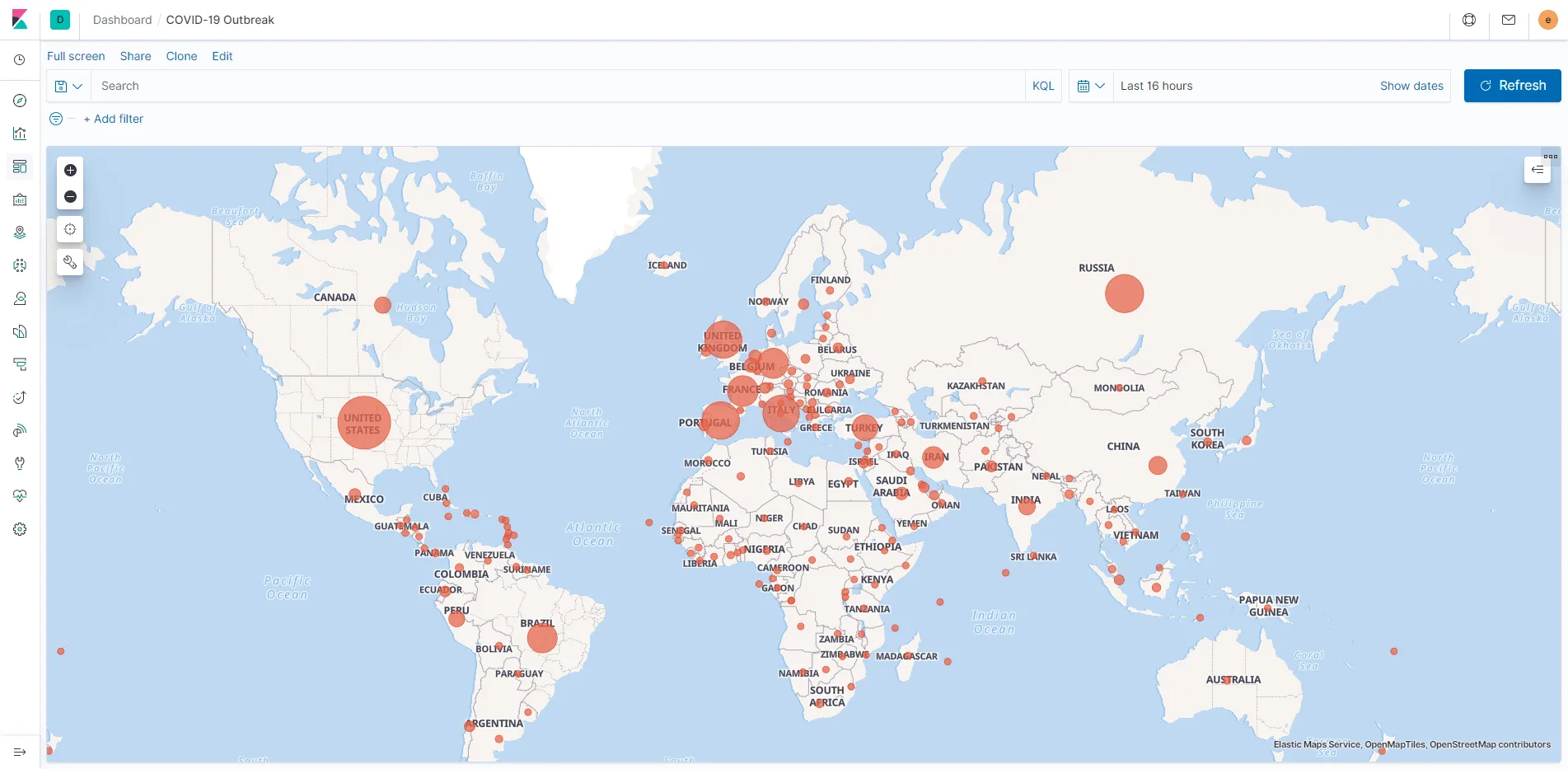
Note: This screenshot reflects the numbers at the time of writing.
Retrospective
This project has taught me the following:
- How to create an end-to-end data pipeline that can be put into production
- Write tests using pytest (unit tests, mocking, etc…)
- Use Apache Airflow to schedule and run interdependent tasks
- How to load data in Elasticsearch and visualize it using Kibana
- Add awesome badges to my README.md using shields.io
- Format my code using Black
- Choose an open source license using choosealicense.com
- Maintain a changelog using keepachangelog.com adhering to semantic versioning